
Tips
A Tip to use both Apple Terminal and iTerm
- -
I set up iTerm and zsh last week on my Mac and I was totally satisfied with it except for one thing. (Set-up referenced https://beomi.github.io/2017/07/07/Beautify-ZSH/, https://wayhome25.github.io/etc/2017/03/12/zsh-alias/)
Problem
That is a slightly ugly color on Apple Terminal against iTerm. Because Apple Terminal supports only 256 colors. So I wanted to use bash on Apple Terminal.

How to Solve
So I added following lines in ~/.zshrc file.
if [ $TERM_PROGRAM != "iTerm.app" ]; then bash fi
It means ‘Execute bash shell when terminal is not iTerm’.
Ok, pretty terminal is back.

But this solution causes a troublesome problem. It causes alert like below when closing window.
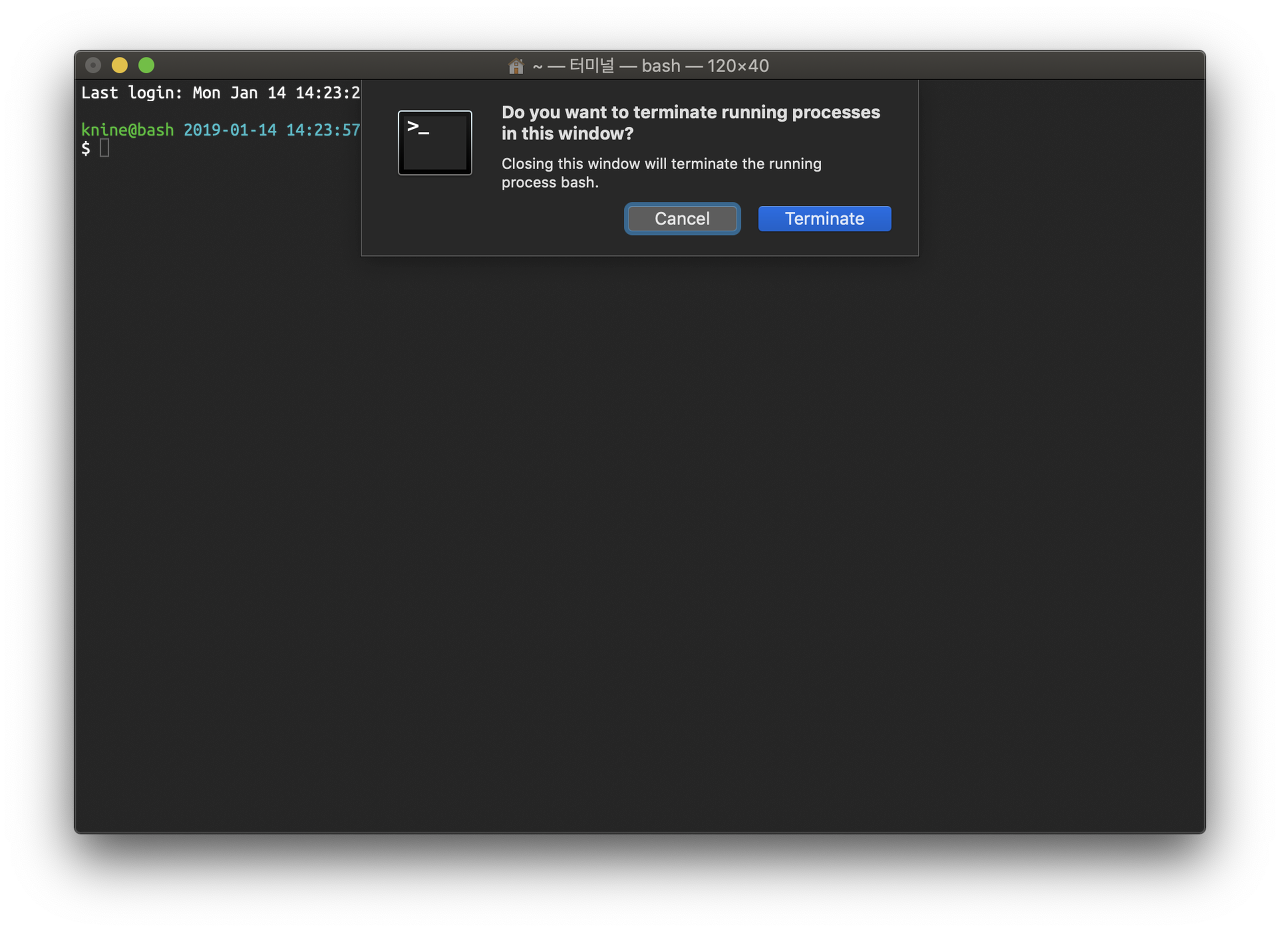
It’s because of bash we make execute when launching terminal window.
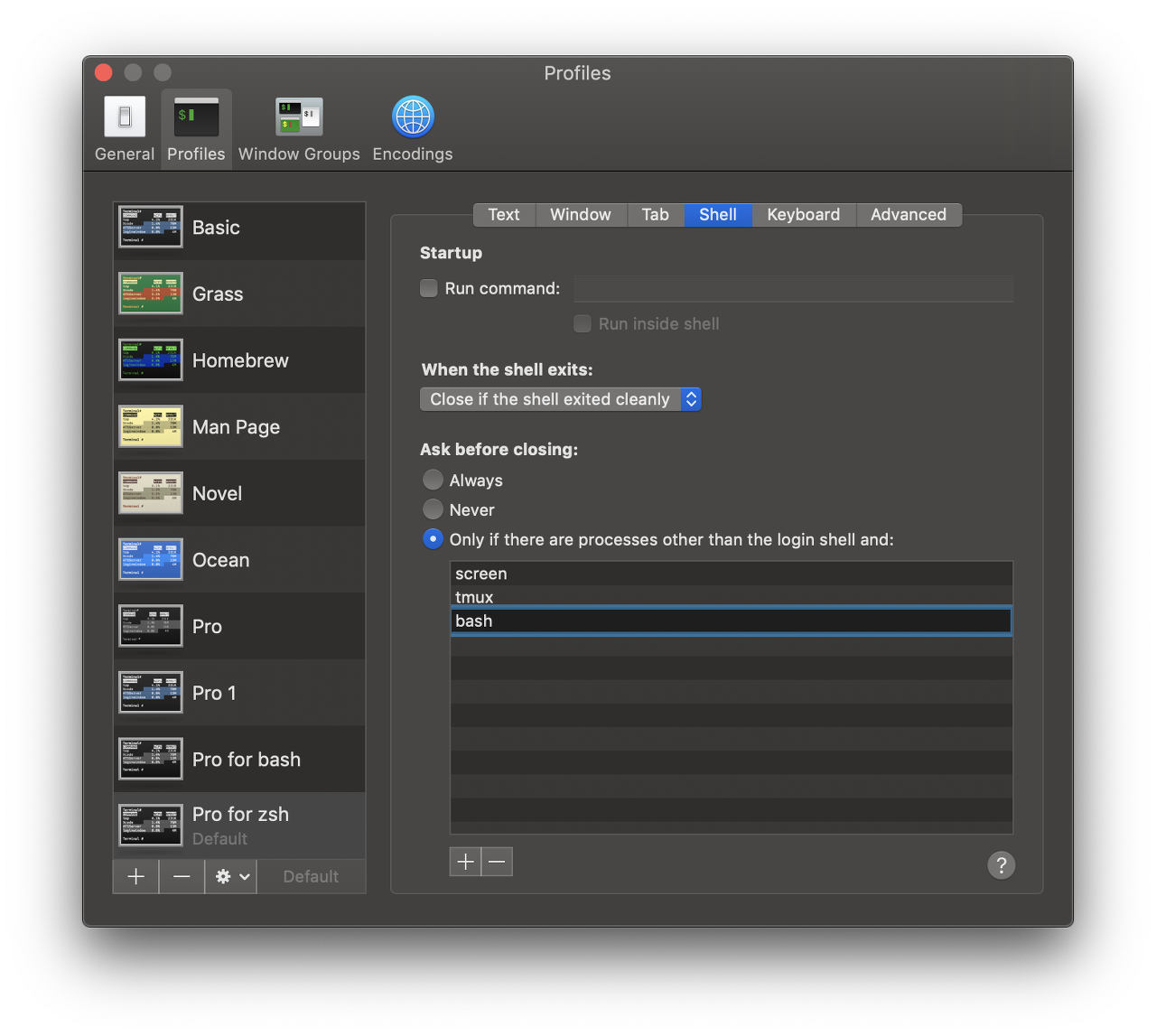
So I tried to find some proper property on Apple Terminal preferences. And fortunately found it.
I can configure to Ask before closing, Only if there are processes other than the login shell and: bash like following:
Note
In fact, I wanted to branch off at the point where I started running the shell(zsh or bash). But I could not find the shell starting point. I think somebody may knows. Then I hope to let me know.
반응형
'Tips' 카테고리의 다른 글
| Xcode에서 빌드 결과를 푸시 알림으로 받기 (0) | 2019.08.29 |
|---|
Contents
소중한 공감 감사합니다